
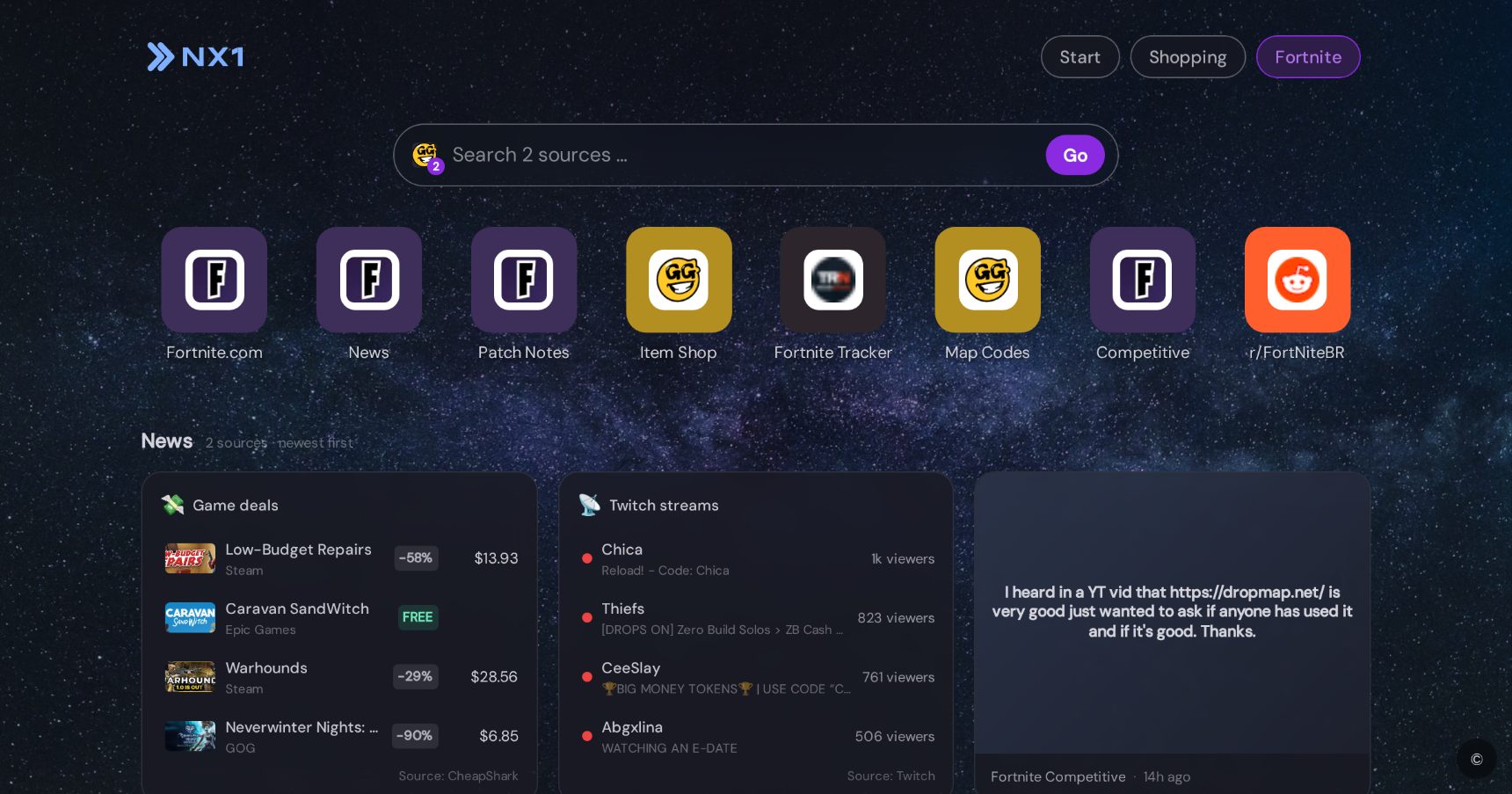
Fortnite start page for your new tab
Item shop, tracker & patch notes — ready for every season.
The Fortnite start page for your new tab: item shop, Fortnite Tracker, map codes, competitive and official patch notes — pre-curated, installed in one click.
What’s inside
The 8 best Fortnite sites
- Fortnite.com — The official site: download, account, news.
- News — Official announcements: seasons, events, collabs.
- Patch Notes — What the latest patch changes — official and complete.
- Item Shop — Today’s item shop: skins and bundles at a glance.
- Fortnite Tracker — Stats, win rate and match history for any player.
- Map Codes — Creative maps by code: parkour, zone wars, deathruns.
- Competitive — Tournaments, FNCS and leaderboards for competitive play.
- r/FortNiteBR — The biggest Fortnite community: clips, leaks, discussions.
News sources
- Fortnite News
- Fortnite Patch Notes
- Fortnite Competitive
- r/FortNiteBR
- Fortnite Tracker
- Fortnite.GG
Topic searches
- Fortnite.GG
- Fortnite Wiki
- YouTube
- r/FortNiteBR
Extras
- Screenshot help with AI tips
- News feed with patch notes & leaks
- Map codes & shop history (Fortnite.GG)
Frequently asked questions
What’s inside the Fortnite start page?
8 top sites (Fortnite.com, News, Patch Notes, Item Shop), 6 news sources (Fortnite News, Fortnite Patch Notes, Fortnite Competitive) and 4 topic searches (Fortnite.GG, Fortnite Wiki, YouTube, r/FortNiteBR). Plus: Screenshot help with AI tips; News feed with patch notes & leaks; Map codes & shop history (Fortnite.GG).
What happens when I install through a start page?
NX1 installs as a browser extension and opens your very first new tab directly in the chosen start page — fully set up. Everything can be customized or removed afterwards.
Can I create my own start pages for other topics?
Yes. NX1 creates any start page with AI — type a name such as “FC Bayern” or “Formula 1” and the AI researches links, news sources and a design. Or build one manually.


